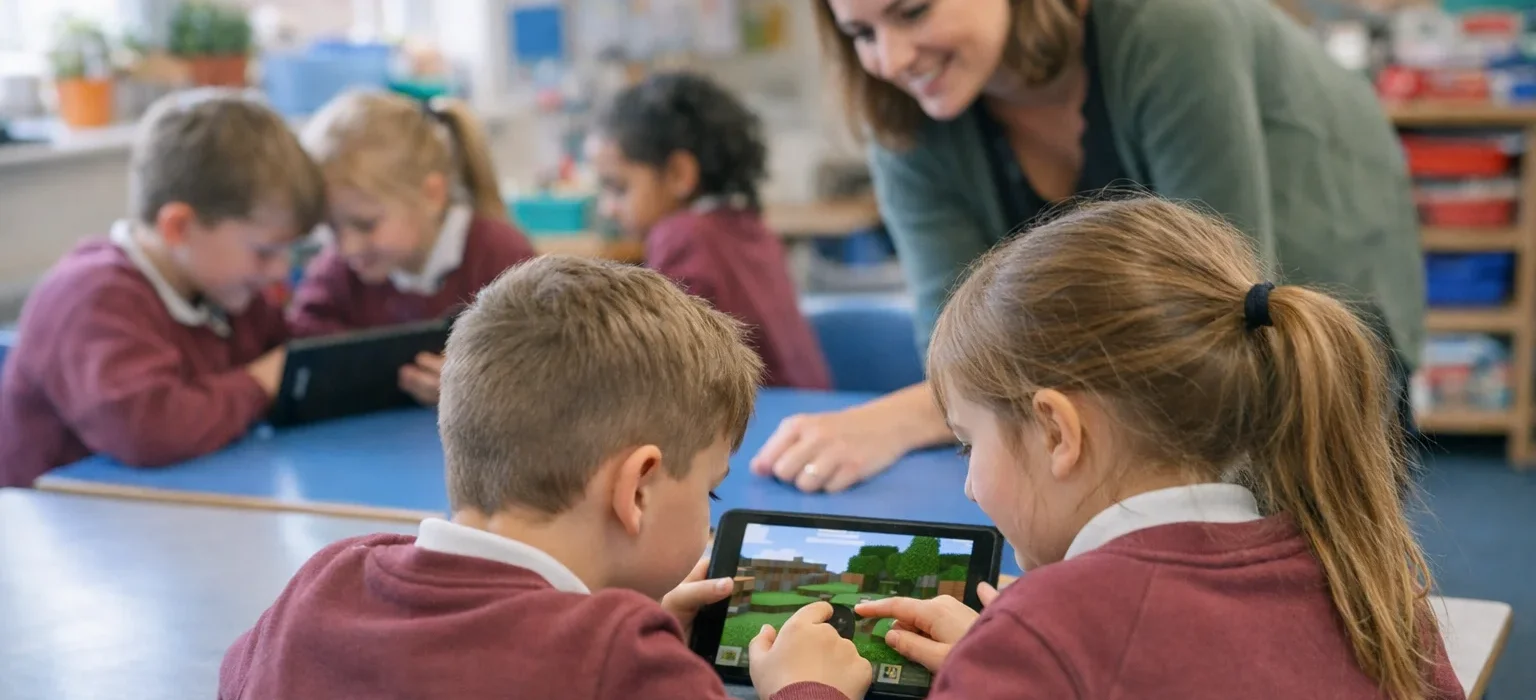

Minecraft Education: A Practical Guide for Teachers and Students
Minecraft Education is an educational version of Minecraft designed to help teachers use game-based learning in classrooms and other learning environments. It combines Minecraft’s creative building experience with lessons, collaboration tools, coding activities, classroom features, and curriculum-focused content. It can be used for subjects such as computer science, mathematics, science, social studies, language, and arts and design. Teachers can use ready-made lessons or create activities around their own learning objectives.
What Is Minecraft Education?
Minecraft Education is a game-based learning platform built specifically for educational environments. Instead of simply asking students to read about a topic, teachers can create interactive activities where students explore, build, solve problems, collaborate, and demonstrate what they have learned. For example, a science lesson could ask students to create a sustainable environment. A computer science class could use block-based coding to control an in-game Agent. The official Minecraft Education platform currently provides lessons and learning resources across multiple subjects, including computer science, mathematics, science, social studies, language, and arts and design.
How Does Minecraft Education Work?
The basic idea is simple:
Learning objective → Minecraft activity → Student exploration → Problem solving → Assessment
A teacher might begin with a normal curriculum goal and then turn it into an interactive Minecraft task.
For example:
Learning goal: Understand sustainable city planning.
Minecraft activity: Students design a city using renewable resources, transportation systems, green spaces, and efficient buildings.
Students can then explain their design and discuss why they made particular choices. This makes the game part of the lesson rather than the entire lesson.
What Can Students Learn With Minecraft Education?
Minecraft Education supports a wide range of learning activities.
Computer Science and Coding
Coding is one of the strongest educational uses of the platform.
Students can learn concepts such as:
- Algorithms
- Sequencing
- Loops
- Conditionals
- Variables
- Functions
- Debugging
- Computational thinking
Minecraft Education provides block-based coding resources and also supports coding with JavaScript and Python in relevant learning activities. For example, students can program an in-game Agent to move around an environment and complete specific tasks. An official beginner lesson introduces navigation, Code Builder, MakeCode blocks, and sequencing.
Mathematics
Minecraft can turn abstract mathematical ideas into visual problems.
Teachers can create activities involving:
- Area and perimeter
- Measurement
- Geometry
- Coordinates
- Ratios
- Patterns
- Problem solving
For example, students could calculate how many blocks are needed to create a rectangular building with specific dimensions.
Science
Science lessons can use Minecraft worlds to create models and simulations.
Possible activities include:
- Ecosystems
- Environmental science
- Climate-related topics
- Resource management
- Animal habitats
- Sustainable development
The Minecraft Education lesson library includes science-focused content and curriculum resources.
History and Social Studies
Teachers can use virtual environments to help students explore historical themes and social issues.
Students might:
- Recreate a historical environment
- Research a civilization
- Build a model community
- Explain how people lived in a particular period
- Work together on a historical project
The goal is not simply to build something attractive. Students should connect their creation to research and learning objectives.
Language and Communication
Minecraft can also support language activities.
For example, students could create a world and then:
- Write a description of it
- Create a story based on their build
- Present their work to classmates
- Write instructions
- Work in groups to explain design decisions
This can combine creativity with communication skills.
Minecraft Education vs. Regular Minecraft
Minecraft Education is not simply regular Minecraft used in a classroom. It includes features and educational resources designed for learning environments.
| Feature | Minecraft Education | Regular Minecraft |
|---|---|---|
| Educational lesson library | Yes | Not designed around a built-in curriculum |
| Classroom-focused features | Yes | Standard game features |
| Coding tools for learning | Yes | Depends on version and setup |
| Curriculum resources | Yes | Not its primary purpose |
| Teacher resources | Yes | General game resources |
| Game-based learning focus | Strong | General gameplay |
Minecraft Education is designed around structured educational use, while the standard game is primarily a general gaming experience.
Benefits of Minecraft Education
Makes Learning More Interactive
Students can actively participate instead of only receiving information.
A lesson about architecture, for example, can involve actually designing and constructing a building.
Encourages Creativity
Students often have multiple ways to approach a task.
This gives them room to experiment and develop their own solutions.
Supports Collaboration
Minecraft Education supports collaborative projects where students can work together on shared activities. A group project might involve one student researching, another designing, another building, and another presenting the final result.
Develops Problem-Solving Skills
Many Minecraft activities require students to plan, test, identify problems, and change their approach.
That process can be especially useful for project-based learning.
Connects Different Subjects
One Minecraft project can combine several subjects.
For example, a sustainable-city project could involve:
- Mathematics for measurements
- Science for environmental concepts
- Computer science for automation
- Language for presentations
- Art and design for visual planning
How Teachers Can Get Started
Teachers do not need to begin with a complicated project.
A simple introduction is usually easier for both teachers and students.
Choose a Learning Objective
Start with the curriculum rather than the game.
Ask:
What should students understand or be able to do after this lesson?
Find an Existing Lesson
Minecraft Education has a lesson library with ready-to-use educational activities and learning pathways.
Using an existing lesson can be easier than designing everything from scratch.
Learn the Basic Controls
Teachers who are new to Minecraft should spend some time learning basic movement, building, inventory management, and other relevant controls.
Minecraft Education provides tutorial worlds and training resources for beginners.
Explain the Task Clearly
Before students enter the world, explain:
- The learning objective
- What they need to build or accomplish
- How much time they have
- Whether they will work individually or in groups
- How their work will be assessed
Let Students Explore
Give students enough freedom to solve the task themselves.
The teacher can guide the process without controlling every decision.
Assess the Learning
Do not assess only how attractive a student’s build looks.
Instead, consider:
- Accuracy
- Reasoning
- Problem-solving
- Creativity
- Communication
- Collaboration
- Understanding of the lesson
A Simple Minecraft Education Lesson Example
Imagine a teacher wants students to learn about sustainable cities.
The activity could work like this:
Introduction:
Explain basic concepts such as renewable energy, transportation, waste management, and green spaces.
Planning:
Students sketch a city before building it.
Construction:
Teams create their city in Minecraft.
Problem solving:
Students identify challenges such as traffic, energy use, or limited space.
Presentation:
Each team explains its decisions.
Reflection:
Students discuss what they would change if they built the city again.
This approach makes the Minecraft world a practical environment for applying concepts.
Minecraft Education for Coding
Coding deserves special attention because Minecraft provides an engaging environment for introducing programming concepts.
Minecraft Education’s Coding Fundamentals collection includes lessons covering concepts such as algorithms, sequencing, loops, conditionals, operators, events, variables, and functions.
Teachers can gradually move students from basic block coding toward more advanced programming.
A possible progression is:
Basic instructions → Sequencing → Loops → Conditions → Variables → Functions → More advanced programming
Minecraft Education also provides computer science resources covering coding, AI literacy, digital citizenship, and cybersecurity.
Tips for Using Minecraft Education Successfully
Keep the Learning Goal Clear
Minecraft can be exciting, but the game should support the lesson.
Always connect the activity to a specific learning objective.
Start Small
A 20–30 minute building activity may be easier to manage than a large multi-week project for beginners.
Give Students Roles
For group projects, assign roles such as:
- Builder
- Researcher
- Planner
- Tester
- Presenter
Roles can change during the project so students experience different responsibilities.
Set Clear Rules
Before starting, explain expectations for:
- Collaboration
- Communication
- Appropriate building
- Time management
- Sharing resources
- Respecting other students’ work
Allow Reflection
After the activity, ask students what they learned and what they would change.
Reflection turns gameplay into a stronger learning experience.
What Devices Can Run Minecraft Education?
Minecraft Education is available on Windows, Mac, iPhone/iPad, Chromebook, and Android phones or tablets, according to the official getting-started information.
Schools should still check current system requirements, account requirements, and deployment options before setting up a classroom.
How to Get Minecraft Education
Teachers and organizations can start through the official Minecraft Education website.
The platform provides download information, trial options, training resources, and licensing information.
For school deployment, Minecraft Education uses school-managed access and Microsoft 365 education accounts in relevant setups. Teachers may need to work with their school’s IT administrator to enable access.
Is Minecraft Education Free?
Minecraft Education offers a free trial/demo experience, while full access for schools and organizations is based on licensing. Current eligibility and licensing requirements can vary by organization, so educators should check the official Minecraft Education information before purchasing or deploying it.
Frequently Asked Questions
What is Minecraft Education used for?
Minecraft Education is used for game-based learning. Teachers can use it for subjects such as coding, mathematics, science, social studies, language, and design.
Is Minecraft Education the same as Minecraft?
No. Minecraft Education is designed specifically for learning environments and includes educational content, teacher resources, classroom-oriented features, and coding tools.
Can students learn coding with Minecraft Education?
Yes. Minecraft Education includes coding lessons covering concepts such as algorithms, loops, conditionals, variables, and functions. Some resources also use JavaScript and Python.
Can teachers create their own Minecraft lessons?
Yes. Teachers can use existing lesson resources or create their own activities. Minecraft Education also provides tools and resources intended to help educators develop customized lessons.
Is Minecraft Education suitable for beginners?
Yes. Minecraft Education provides tutorial worlds, starter resources, training materials, and beginner-focused lessons to help educators and students learn the basics.
Conclusion
Minecraft Education turns a familiar block-building environment into a flexible learning tool. It can support coding, mathematics, science, history, language, design, collaboration, and problem-solving when activities are connected to clear educational goals. For teachers, the best approach is to start small: choose one learning objective, use a suitable lesson, introduce the basic controls, and give students a clear challenge. With thoughtful planning, Minecraft can become more than a game—it can be an interactive environment where students build, experiment, collaborate, and learn.

💬 Leave a Comment
Leave a Comment